Groups

Filter your whole compliance picture by how you are structured

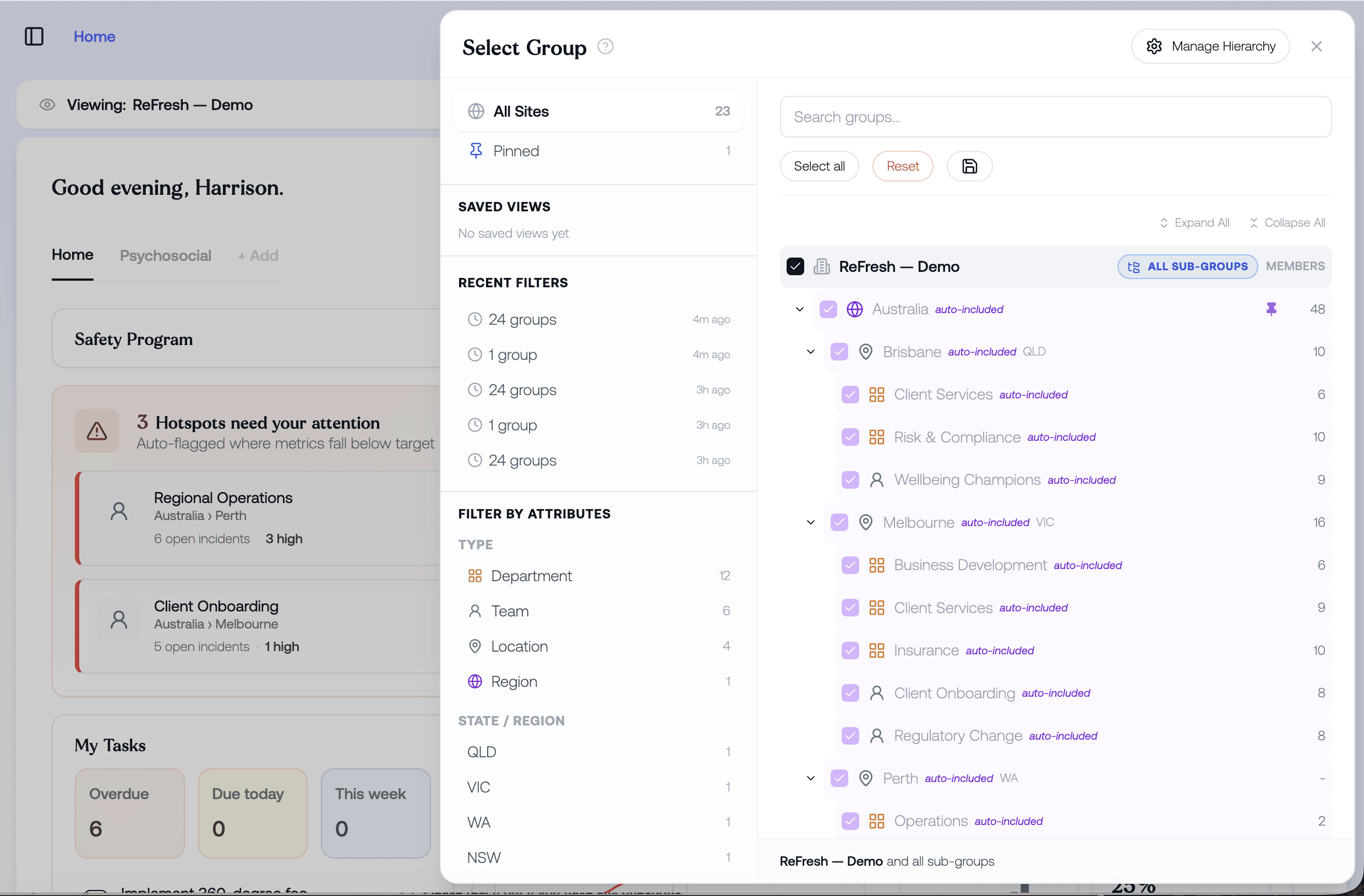
An organisation is not a flat list of people. Groups let you filter the whole platform by region, department, location and team, customise the structure, and save the views you use most.

woman working comfortably on a laptop in a warm office setting

Groups

Filter your whole compliance picture by how you are structured

An organisation is not a flat list of people. Groups let you filter the whole platform by region, department, location and team, customise the structure, and save the views you use most.

woman working comfortably on a laptop in a warm office setting

Groups

Filter your whole compliance picture by how you are structured

An organisation is not a flat list of people. Groups let you filter the whole platform by region, department, location and team, customise the structure, and save the views you use most.

woman working comfortably on a laptop in a warm office setting
A WHS analyst in his late 20s working at a desk in a quiet corner of an open-plan office, leaning slightly forward toward a wide monitor with the focused expression of someone narrowing in on a specific detail. One hand is on the mouse, mid-click.

FILTER ACROSS EVERYTHING

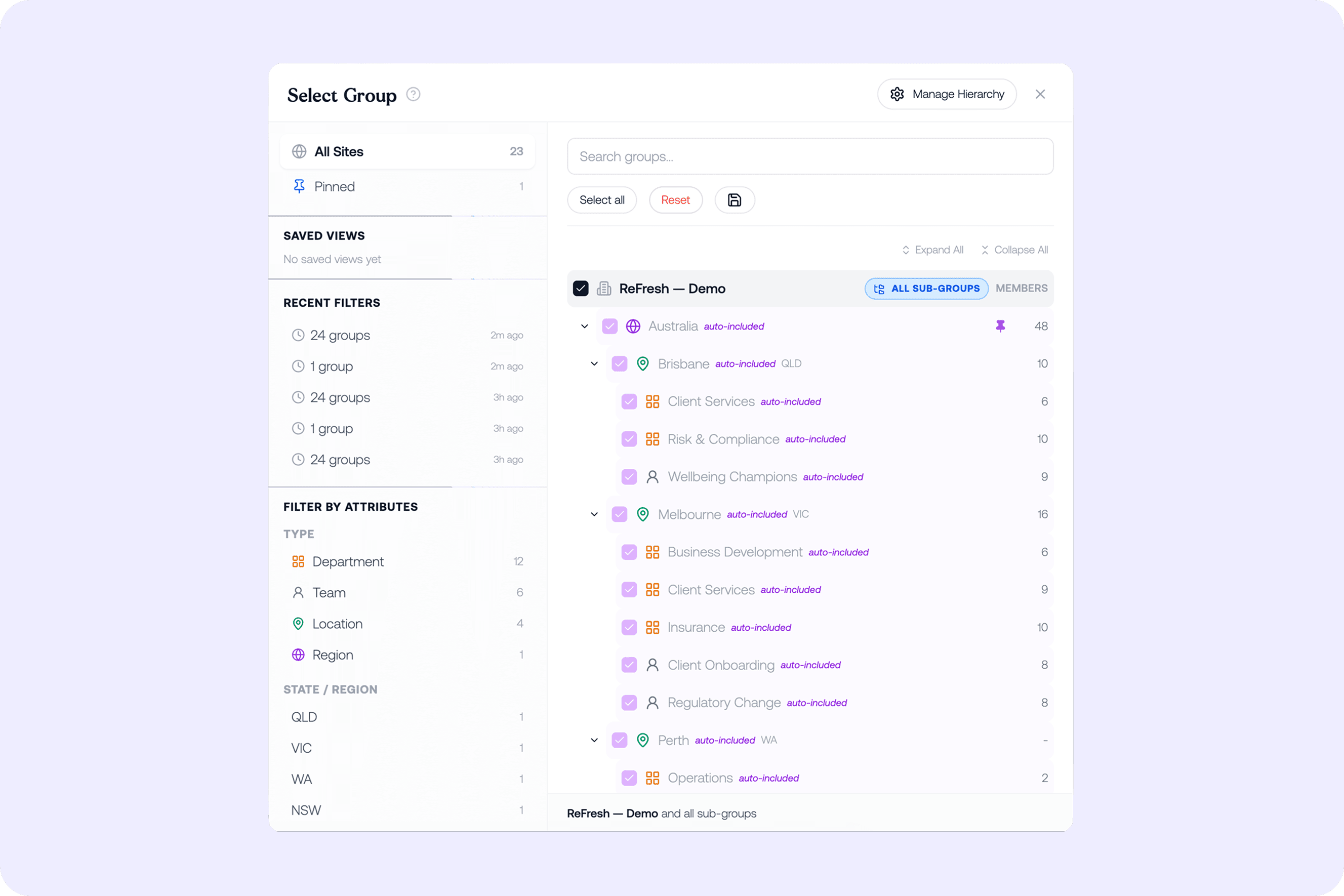
Filter every data point by region, department, location and team

Groups let you filter the entire application down from region to department to location to team, across every data point, so any view of incidents, risks, controls, surveys or reports can be narrowed to exactly the part of the organisation you care about.

CUSTOM STRUCTURE & MEMBERSHIP

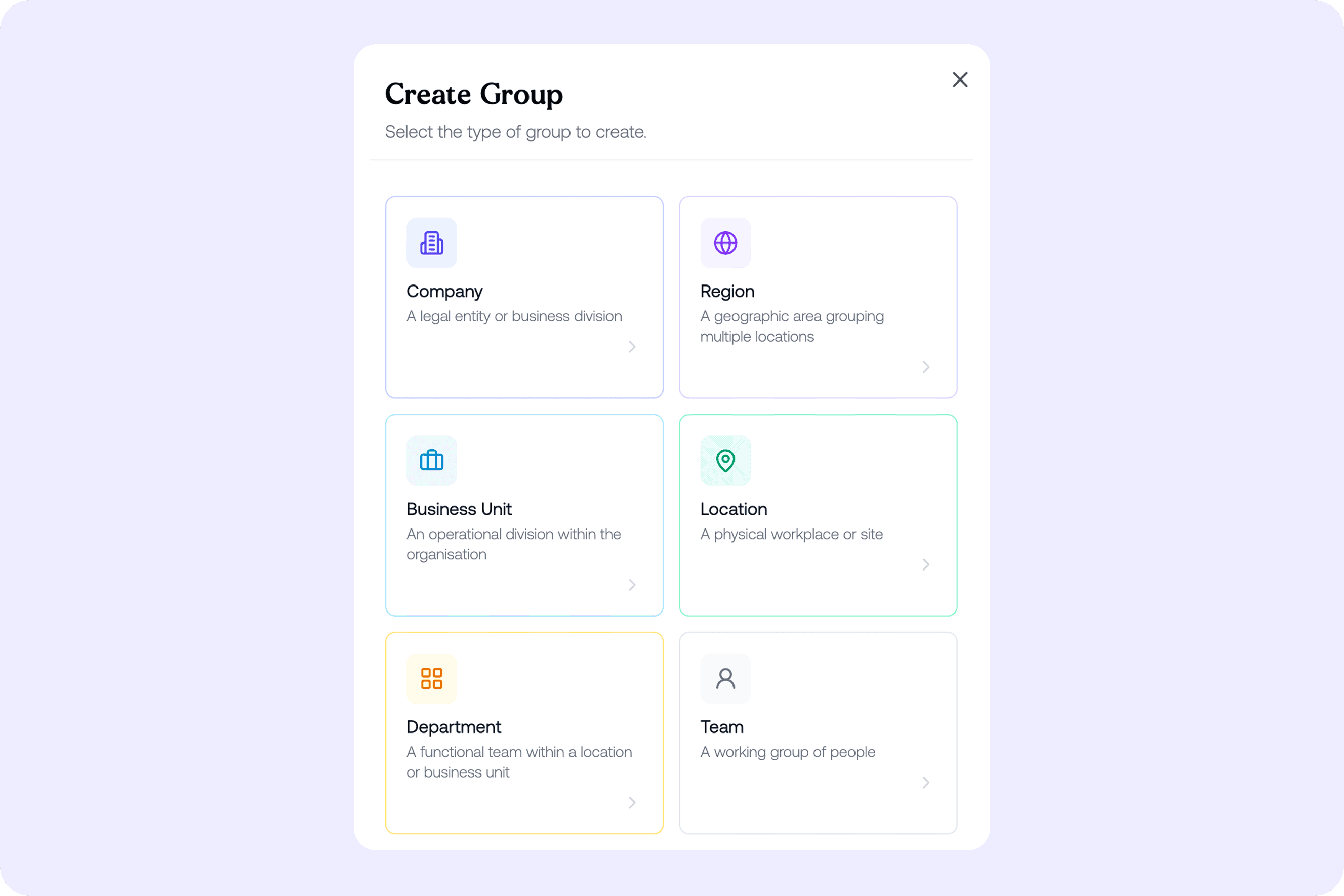
Build your structure and assign your people

Fully customise the group structure and assign staff to the groups and structures they belong to, so the hierarchy matches how your organisation actually works and people see the data that is theirs.
Two safety professionals — a regional WHS manager and a site HR coordinator — standing together at a high bench in a light-filled industrial office that overlooks a warehouse floor visible through interior windows behind them. They are both looking at a tablet the WHS manager is holding between them, angled so both can see. The HR coordinator is pointing at something on the screen with a pen. Their expressions are specific and purposeful — not general concern, but the look of two people identifying exactly where one particular issue is showing up.

SAVED VIEWS

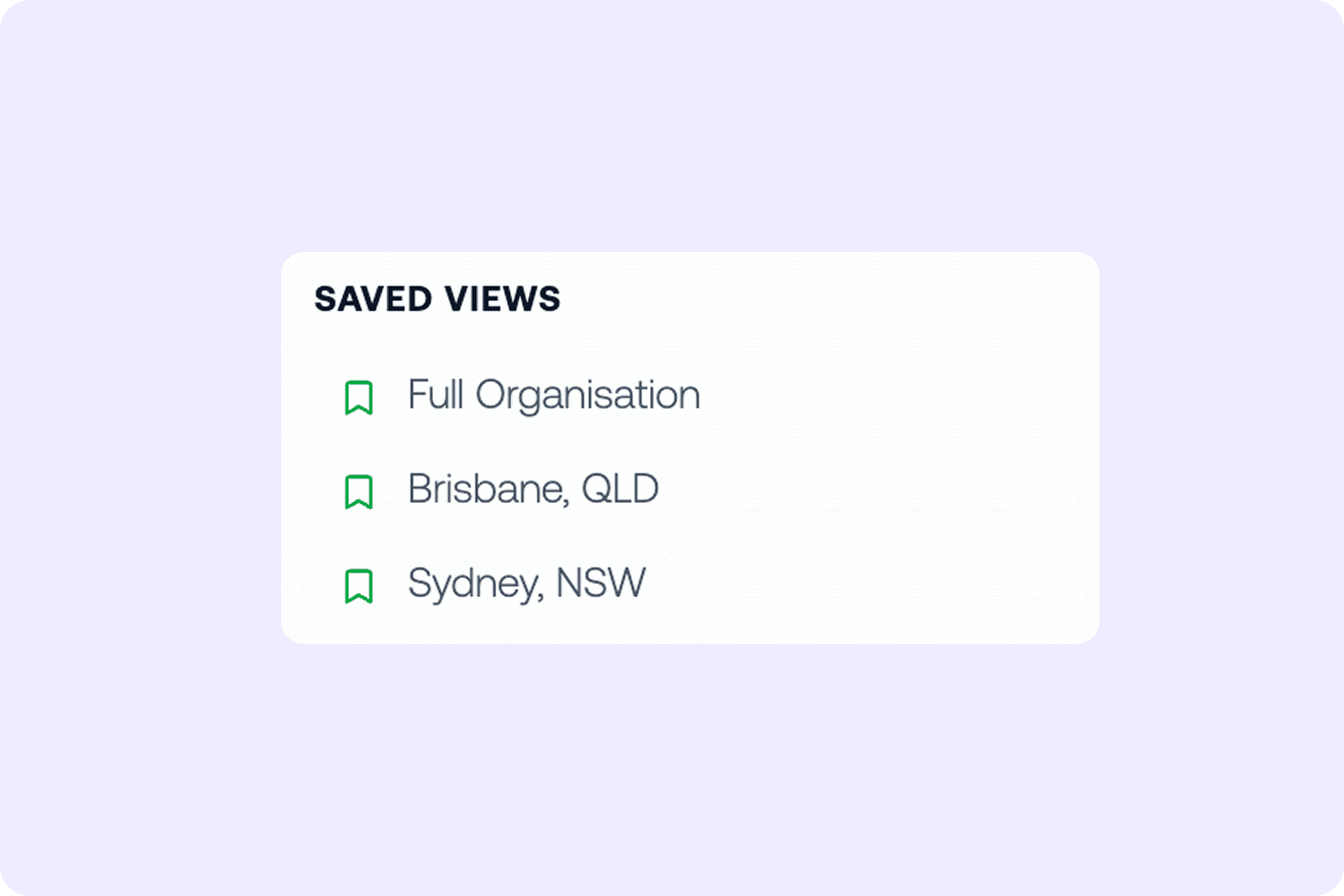
Save the views you use most

Save different filtered views, so the cuts you return to are one click away rather than rebuilt each time you open the platform.

GOT QUESTIONS?

Frequently asked questions

Frequently asked questions

What can I filter by using Groups?

Groups lets you filter the entire platform by:

  1. Country

  2. Region

  3. Business unit

  4. Location

  5. Department

  6. Team

Selecting a group changes the dashboards, risk registers, survey results, and reporting to that view, so you can see exactly what is happening in one site, one team, or one state.

How does the group structure get set up?

You configure a hierarchy that mirrors your organisation, from company down through region, business unit, location, department, and team. If this structure already exists in a connected system, it can be pulled in and configured during onboarding so you are ready to go from day one.

Can Groups control who sees what?

Yes. Groups govern access and permissions, so you can decide what each group is able to see. Safety might see one set of records and HR another, and you can restrict sensitive matters further so only specific people can view them, including within the administrator team.

Why does filtering by group matter for compliance?

Different jurisdictions carry different psychosocial duties, and risk rarely sits evenly across an organisation. Filtering by group lets you apply the right framework to the right part of the workforce and see where exposure actually concentrates, rather than working from a single blended view.

GOT QUESTIONS?

Frequently asked questions

What can I filter by using Groups?

Groups lets you filter the entire platform by:

  1. Country

  2. Region

  3. Business unit

  4. Location

  5. Department

  6. Team

Selecting a group changes the dashboards, risk registers, survey results, and reporting to that view, so you can see exactly what is happening in one site, one team, or one state.

How does the group structure get set up?

You configure a hierarchy that mirrors your organisation, from company down through region, business unit, location, department, and team. If this structure already exists in a connected system, it can be pulled in and configured during onboarding so you are ready to go from day one.

Can Groups control who sees what?

Yes. Groups govern access and permissions, so you can decide what each group is able to see. Safety might see one set of records and HR another, and you can restrict sensitive matters further so only specific people can view them, including within the administrator team.

Why does filtering by group matter for compliance?

Different jurisdictions carry different psychosocial duties, and risk rarely sits evenly across an organisation. Filtering by group lets you apply the right framework to the right part of the workforce and see where exposure actually concentrates, rather than working from a single blended view.

Don't just measure risk. Prevent it

Bring emotional, psychosocial, and leadership risk into one unified framework.

