Set up your organisation, invite your team, and get oriented in ReFresh.
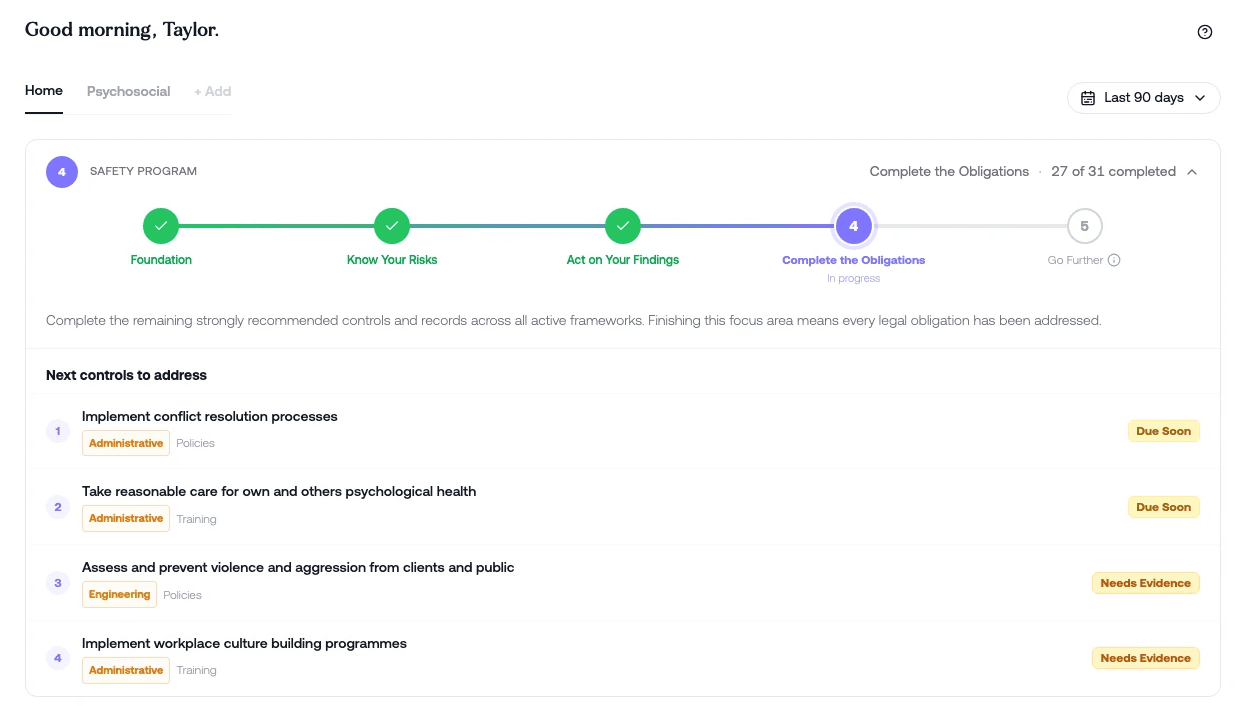
Welcome to ReFresh.
This is the first course to take if you're the person setting up a new tenant, and it's designed to get you comfortable with the app in about ten minutes of video.
By the end, you'll know your way around the navigation, you'll have your organisation set up properly, your team invited with the right access, and you'll understand the work plan ReFresh has built for you based on the frameworks you've activated.
What you'll learn:
How the app is laid out and where everything lives
How to set up your company profile and business details
How to invite your team and choose between admin and worker access
How the Guided Safety Programme sequences your work
Is this module for you?
If you've just had your tenant provisioned and you're the admin responsible for getting ReFresh live in your organisation, yes. Same goes if you're joining an existing tenant and want to understand the structure before you start contributing.
This is the foundation layer. Once you've done it, the specialist modules on surveys, risk assessment, controls, and reporting will make a lot more sense.
If you're a worker rather than an admin, head to the Workers module instead.

