The first thing to do when your tenant goes live. This lesson gets your organisation properly configured so everything you do later sits on solid foundations.
What you'll cover:
Opening Settings. Where to find it in the top toolbar and what the Company page looks like.
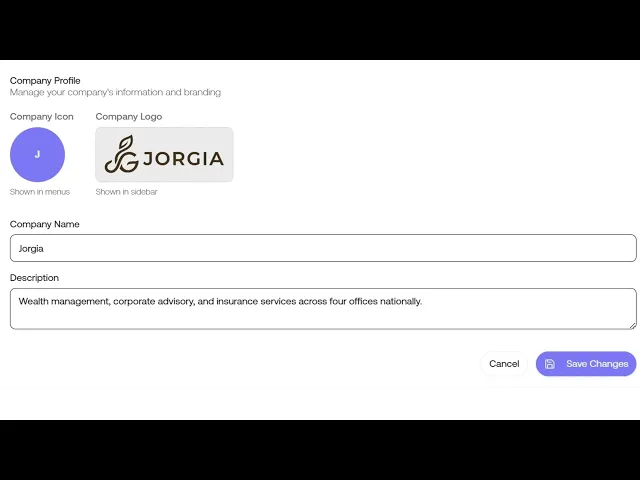
Company Profile. Filling in your Company Icon (the colour circle with your initial), Company Logo (the wordmark in your sidebar), Company Name, and a short description of your organisation.
Business Details. Setting your Industry Sector from the standard ANZSIC list and your Worker Locations.
Workforce Defaults. Setting your Average Annual Salary in AUD and Standard Working Hours per Week. These feed the cost of work outcomes calculator later on, so accuracy here means accurate dollar figures down the track.
What's next in Settings. A preview of Employees, Groups, Org Chart, Invites, Billing, Assets, and Incident Management, each of which gets its own lesson where relevant.
Key takeaways:
Workforce Defaults look like throwaway fields but they're not
Average Annual Salary and Standard Working Hours feed the cost of work outcomes calculator later on
Get them right at setup and your dollar figures will be accurate down the track

