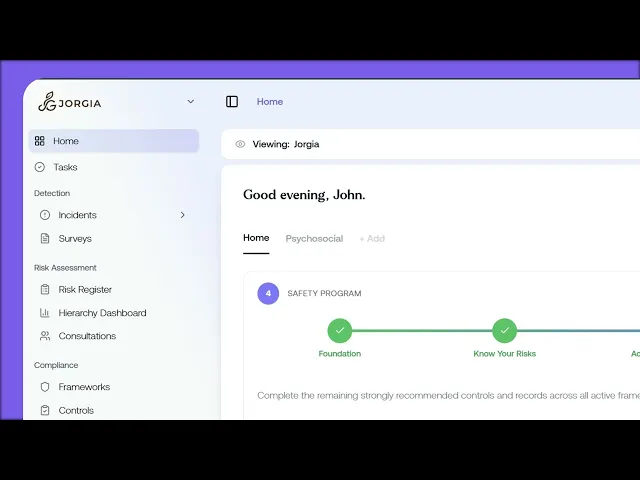
A friendly tour of the app so nothing feels unfamiliar when you start doing real work in it. By the end, you'll know where everything lives and how the navigation is structured.
What you'll cover:
The top toolbar. Your tenant logo, sidebar toggle, and page breadcrumb on the left. Integrations shortcut, settings cog, the Admin and My ReFresh toggle, and your profile menu on the right.
The four sidebar sections. Detection (Incidents, Surveys), Risk Assessment (Risk Register, Hierarchy Dashboard, Consultations), Compliance (Frameworks, Controls, Records), and Governance (Reports, Reviews).
Home, the page you'll see most. The Viewing banner for setting your scope, the dashboard tabs for saving different views, and the time range dropdown that controls everything on the page.
The My ReFresh toggle. How to switch into the worker portal to see what your team sees day to day.
Key takeaways:
The sidebar is grouped into four sections that map to the phases of your safety programme
Once you know where each section sits, the rest of the Academy is easier to follow
Home is the page you'll spend most of your time on, with the Viewing banner controlling your scope across the dashboard

