This lesson covers how to turn your survey results into formal risk assessments, moving from a survey hazard into your Risk Register using either the Scenario Library or a custom assessment.
What you'll cover:
Identifying a hazard. Starting at the top of your Risk Profile, where the highest hazards are the ones your workforce is telling you most need managing.
Opening the Risk Register. Where to find it in the left nav.
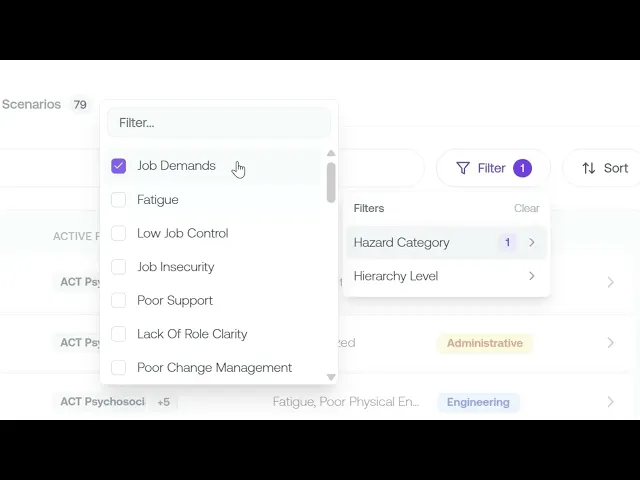
Recommended scenarios. Using Explore Library and the Recommended tab to find scenarios matched to the hazards your surveys flagged, then filtering by hazard category to pick a relevant one and add it to your register.
Creating a custom assessment. Building your own from the Risk Register when the library doesn't cover what you need.
Key takeaways:
Survey results don't manage risk on their own. You have to turn them into formal risk assessments in your register.
Your top survey hazards are the natural starting point, since they're where the risk and the evidence are strongest.
The Scenario Library gives you recommended, hazard-matched starting points, with a custom option for anything it doesn't cover.
IN THIS COURSE
2
.
E13. From survey data to risk assessment
2
min
2
.
E14. Creating custom risk assessments
2
min
1
.
E15. Inherent risk scoring
1
min
2
.
E16. Exposure assessment
2
min
1
.
E17. Risk status workflow and treatment strategy
1
min
1
.
E18. Residual risk scoring and the was-vs-now comparison
1
min
1
.
E19. Hazard category drill-down
1
min

