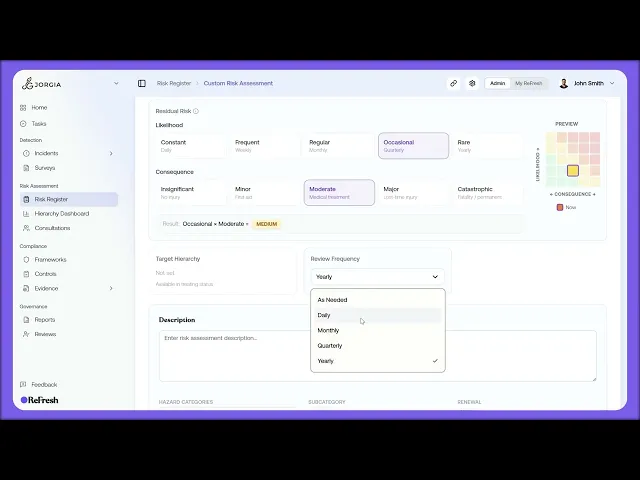
Library doesn't have what you need, including the major fields and how to open it for editing.
What you'll cover:
Creating a custom assessment. Starting one from the Risk Register page.
The blank canvas. How a new assessment opens: Status set to Draft, Treatment, Inherent Risk, Residual Risk, and Target Hierarchy all unset, and Review Frequency defaulting to a year out.
The fields you'll fill. Naming the risk and adding a description, then setting status and treatment strategy, scoring inherent and residual risk, picking a target hierarchy, tagging hazard categories, and completing the exposure assessment.
Saving. Committing your changes once the assessment is filled in.
Key takeaways:
A custom risk assessment is for anything the Scenario Library doesn't already cover.
Everything starts blank, so you build the assessment up field by field from a Draft status.
This video is the overview. The individual fields like inherent risk scoring are covered in detail across the next few lessons.
IN THIS COURSE
2
.
E13. From survey data to risk assessment
2
min
2
.
E14. Creating custom risk assessments
2
min
1
.
E15. Inherent risk scoring
1
min
2
.
E16. Exposure assessment
2
min
1
.
E17. Risk status workflow and treatment strategy
1
min
1
.
E18. Residual risk scoring and the was-vs-now comparison
1
min
1
.
E19. Hazard category drill-down
1
min

