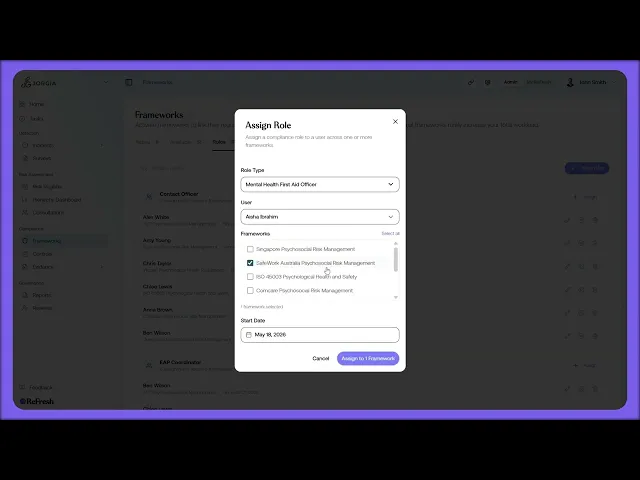
This lesson covers assigning compliance roles and setting targets at the framework level.
What you'll cover:
The Roles tab. The table grouped by job title, and how to assign a role and person to a framework: clicking Assign Role, selecting the relevant items and a start date, then assigning. When you assign an employee from your register, they automatically pick up the controls attached to the role.
Targets on the framework. Setting the Target Compliance date from the framework's Overview tab, the date you're aiming to be fully compliant, which you can edit directly and which links to the roles responsible.
Key takeaways:
Assigning a role hands the person the controls attached to it automatically, so responsibility and the work move together.
The Target Compliance date is set once on the framework and feeds the Compliance Workload Forecast on Home, which backsolves the work between now and then.
Roles and targets work as a pair: roles say who's responsible, the target date says by when, and Home turns the two into a forecast.
IN THIS COURSE
1
.
O7. Activating compliance frameworks
1
min
2
.
O8. Reading framework requirements and mapping your controls
2
min
1
.
O9. The control register
1
min
1
.
O10. Framework monitoring and regulatory notifications
1
min
2
.
O11. Compliance roles and target setting
2
min
1
.
O12. Shared workspaces, legal entities, and multi-group compliance
1
min

