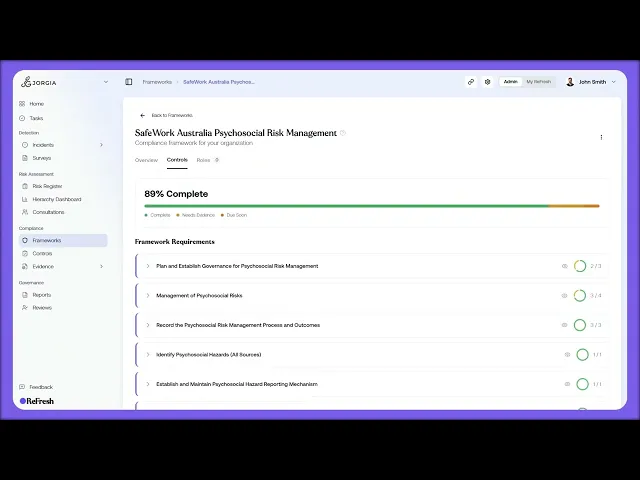
This lesson covers reading framework requirements and seeing how the controls underneath answer them.
What you'll cover:
Overview progress. The Progress card showing percent complete across three segments (Complete, Needs Evidence, Due Soon), with status, activation date, target compliance date, and last certified on the right.
The Controls tab. How the framework's requirements appear as collapsible parent rows, each requirement being the obligation, with the linked controls sitting underneath.
Expanding a requirement. The table beneath each requirement, showing every control with its title and summary, evidence progress as a fraction, and status, plus the control preview modal and View Control to reach the full page.
Shared controls. How one control often answers requirements across multiple frameworks, with a Frameworks badge showing how many it's mapped to.
Key takeaways:
Framework requirements are the obligations; the controls linked underneath are how your organisation satisfies them.
Expanding a requirement shows exactly which controls answer it and where each one sits on evidence and status, so coverage is visible at a glance.
One control frequently maps to multiple frameworks, which is why activating extra frameworks doesn't usually mean extra work.
IN THIS COURSE
1
.
O7. Activating compliance frameworks
1
min
2
.
O8. Reading framework requirements and mapping your controls
2
min
1
.
O9. The control register
1
min
1
.
O10. Framework monitoring and regulatory notifications
1
min
2
.
O11. Compliance roles and target setting
2
min
1
.
O12. Shared workspaces, legal entities, and multi-group compliance
1
min

