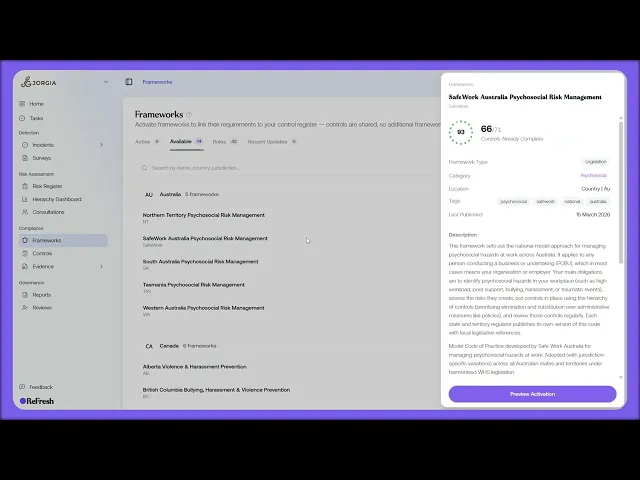
This lesson covers activating a compliance framework in ReFresh.
What you'll cover:
The Active tab. The four tabs (Active, Available, Roles, Recent Updates), with Active showing what you're already running, international frameworks at the top then grouped by jurisdiction, each row showing control progress and the target compliance date.
The Available tab. The frameworks ReFresh maintains but you haven't activated, including ISO standards, state-level Australian frameworks, and others by jurisdiction.
Activating one. Previewing a framework in the right-side drawer (what's included, requirements count, key dates, and description), opening View Full Details, and activating it from the detail page.
Key takeaways:
Frameworks fall into what you're running (Active) and what ReFresh maintains but you haven't switched on yet (Available).
Because controls are shared across frameworks, activating an additional one rarely adds much to your workload. You're mostly opting in to the requirements set ReFresh measures you against.
Each active framework carries its own control progress and target compliance date, so activation is about widening what you're measured against, not duplicating the work.
IN THIS COURSE
1
.
O7. Activating compliance frameworks
1
min
2
.
O8. Reading framework requirements and mapping your controls
2
min
1
.
O9. The control register
1
min
1
.
O10. Framework monitoring and regulatory notifications
1
min
2
.
O11. Compliance roles and target setting
2
min
1
.
O12. Shared workspaces, legal entities, and multi-group compliance
1
min

