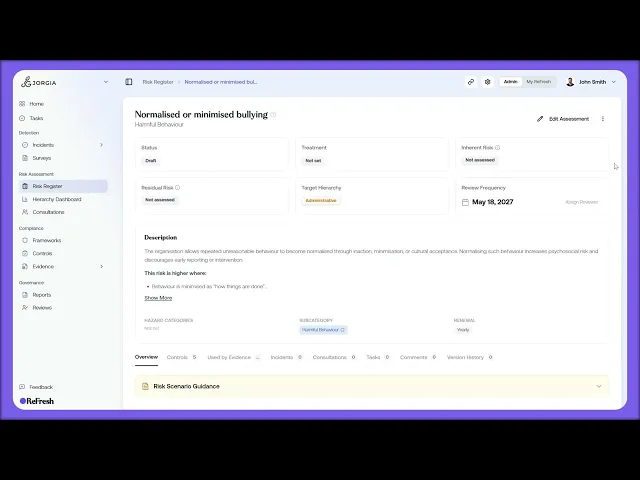
This lesson covers adopting a scenario from the library and looking at when to build a custom risk assessment instead.
What you'll cover:
Adopting a scenario. Opening a scenario's detail page, with its description, the conditions that increase the risk, and Guidelines and Controls tabs, then using Add to Register to land it on your Risk Register with its prebuilt controls already linked.
Back on the register. How an adopted scenario appears: a Source pill marked Adopted with the library name underneath, blank Inherent and Residual columns until you score it, and a Draft status by default.
Custom risk assessments. Using the Custom Risk Assessment button when the library doesn't cover what you need, where you define the scenario, score it, attach your own controls, and link to frameworks manually.
Key takeaways:
Library scenarios are your default, since they arrive with prebuilt controls already linked.
Custom assessments come fully blank, so reach for them when a risk is specific to a particular role, site, or activity the library doesn't cover.
Either way the risk lands on your register at Draft with scoring still to do, so adoption is the starting point, not the finished assessment.

