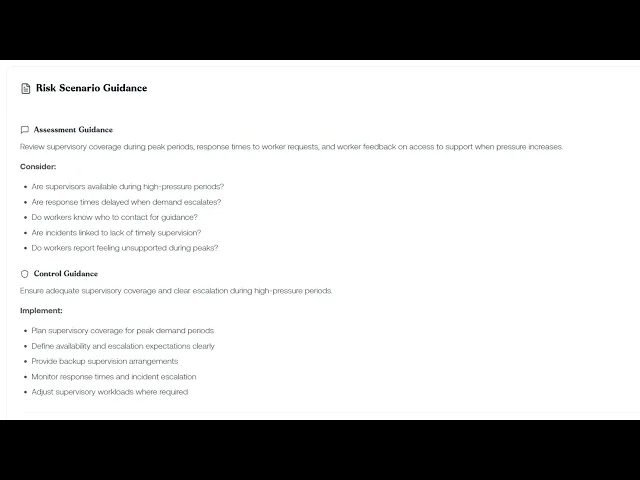
This lesson looks at the recommended actions ReFresh attaches to every library scenario, found on the Guidelines tab.
What you'll cover:
The Guidelines tab. The Risk Scenario Guidance card and its two sections: Assessment Guidance (what to investigate when scoring the risk) and Control Guidance (the recommended actions to put in place).
Assessment Guidance. The framing paragraph and Consider list, covering things like what behaviours occur, how leadership responds, the frequency of complaints, and signs of worker distress, to use when scoring inherent risk.
Control Guidance. The recommended actions library for the scenario, where each action is a control suggestion at a specific hierarchy level. Switch to the Controls tab to see which are already adopted, and use Add to Register to attach the ones that aren't.
Key takeaways:
Every library scenario comes with guidance built in, so you're not scoring or controlling the risk from scratch.
The Consider list under Assessment Guidance is a prompt to cover the angles before you settle on an inherent risk score.
The Guidelines tab shows what's recommended; the Controls tab shows what you've actually adopted, so the two together tell you what's left to put in place.

